


Use Case: Displays
Broadcast Order Status and KPI’s
Summary
Leverage ItemPath Displays to automatically broadcast operational assignments - or other customized details not available in Power Pick - directly to the warehouse floor.
Persona
Warehouse Operator, Floor Supervisor
Challenge
High volume orders, with varying location assignments cause delays and missed deadlines.
Feature and Solution
In fast-paced, high-volume environments, delays and miscommunication are productivity killers. The Displays feature provides the solution by transforming real-time data into highly visible, easy-to-follow instructions. This application provides the capability to create tailored views for specific zones or stations, ensuring the right information reaches the right team at the right time.
Example:
A Floor Supervisor needs to monitor which storage units are assigned to incoming orders, and wants floor staff to be able to scan an order number to quickly identify its destination.
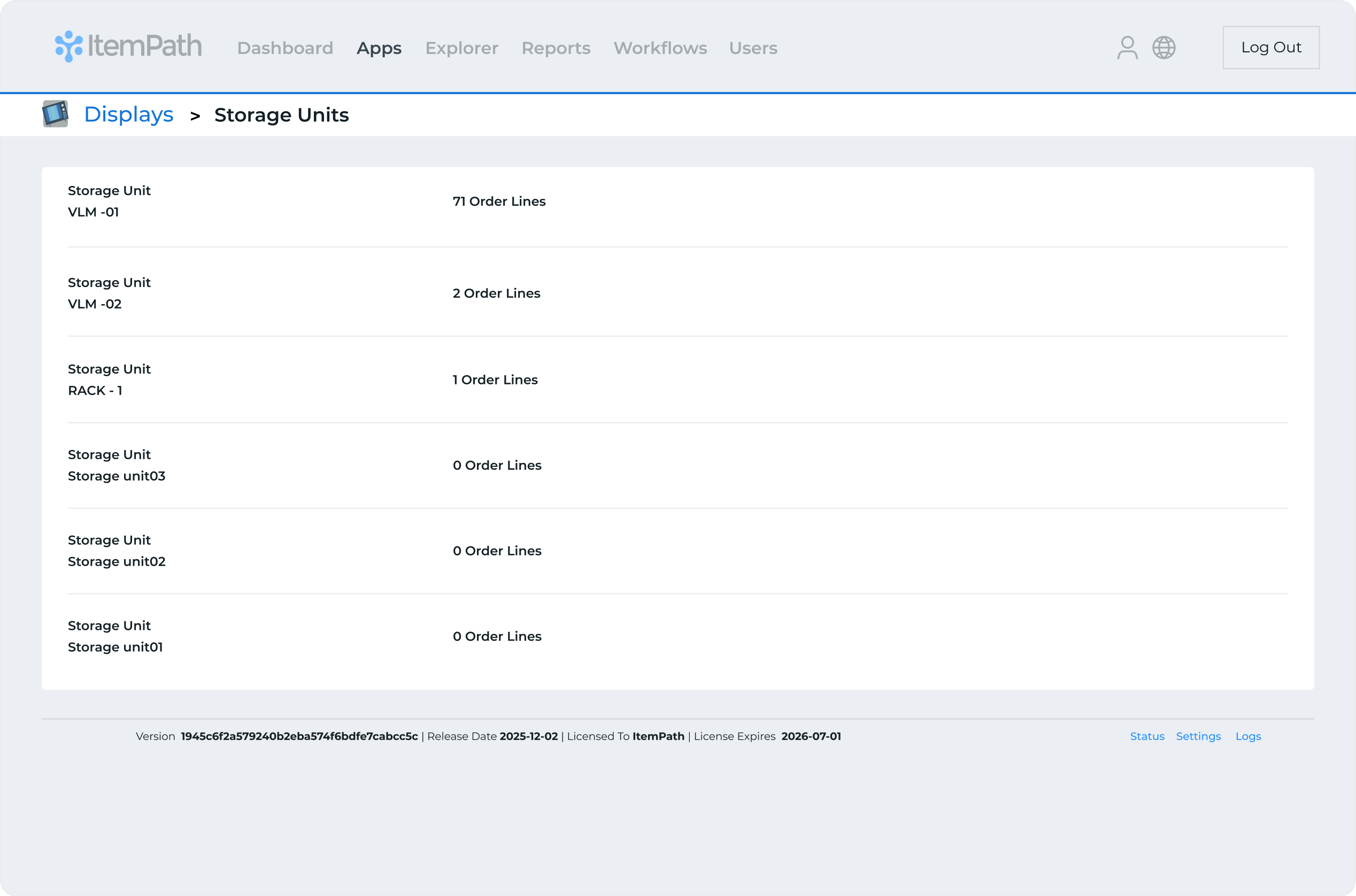
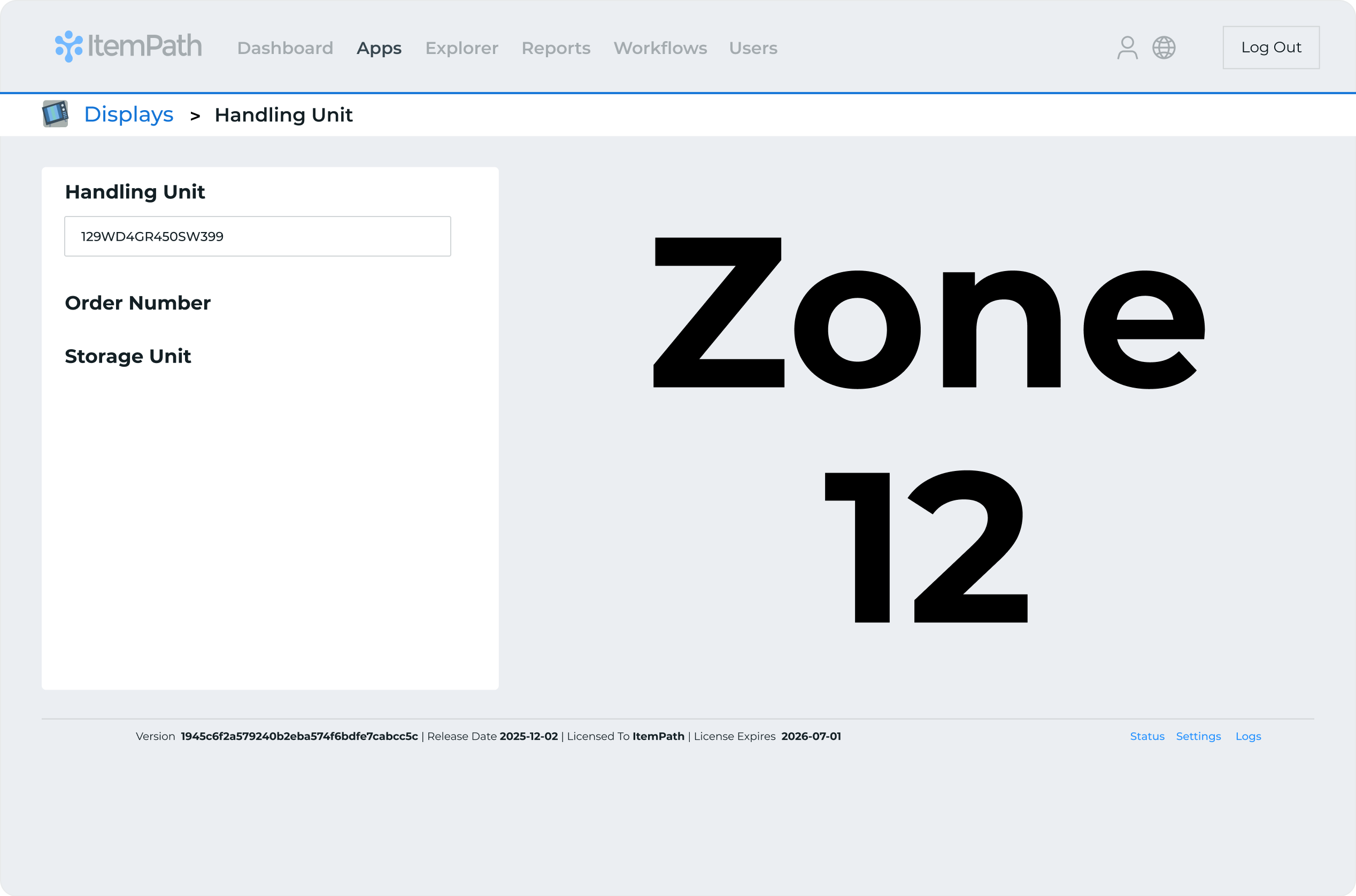
The Floor Supervisor configures two ItemPath Display integrations, using the Storage Unit Load and Divert Tool options.
Two Monitors are set up on the warehouse floor, with each displaying one of the integration views in full screen.
The first monitor displays how many order lines are allocated to each storage unit.
The second monitor is connected to a scanner. When warehouse staff scan a barcode from an order, this monitor will display which zone(s) the order is assigned to.
The result is a fully optimized material flow: The Floor Supervisor gains real-time command over the routing process, instantly spotting bottlenecks and accelerating the flow of material to the correct zones for final processing.
Key Results and Benefits
ItemPath Displays serves as a data visualization tool for your material handling process, turning live order and storage unit data into floor-level guidance. This solution provides a seamless, scan-to-action process that eliminates costly routing errors and ensures your product is loaded and diverted with accuracy and speed.
Top Capabilities
- Real-Time Storage Unit Load: Displays a live allocation count showing exactly how many order lines are currently assigned to each storage unit.
- Scan-Activated Divert Tool: Enables a seamless scan-to-action workflow where a barcode scan instantly triggers the display of the material’s intended destination zone.
- Tailored Screen Integration: Allows the creation of distinct, purpose-built views that deliver only the most relevant, real-time data to specific areas or teams on the warehouse floor.
Operational Benefits
- Capacity Assurance: Supervisors gain instant visibility into unit loading status, which proactively prevents overloading and optimizes material flow and picking efficiency.
- Routing Accuracy: Eliminates manual lookups and routing decisions by guiding staff to the correct destination zone instantly upon scanning, resulting in zero-error material diversion.
- Focused Action & Speed: By delivering filtered, highly relevant data to specific personnel, the system ensures peak efficiency and dramatically accelerates throughput.
Additional Benefits
If the Storage Unit Load or Divert tools don’t fit your needs, you can work with our Developers to find the right solution for your warehouse!
To learn more about setting up and customizing your ItemPath Displays, see:
