


Use Case: Order Processor
Dynamic Order Fulfillment & Real-Time Order Customization
Summary
Order Processor is the core execution interface for managing and completing orders in Power Pick. It is strategically designed to resolve the classic warehouse conflict between speed and data accuracy by providing two powerful modes: one optimized for complex, customizable order fulfillment (Manual), and another designated for high-speed, single-click bulk transactions (Automatic).
Persona
Warehouse Operator (Picker), Inventory Manager
Challenge
Order lines on individual orders cannot be edited once an order is in process. This leadsto delays or errors when an urgent order modification is required.
Feature and Solution
Order Processor is a powerful addition to the ItemPath suite as it allows you to dynamically edit order lines while processing - providing the critical flexibility to handle last-minute changes and ensure necessary data is captured accurately.
Example:
A Warehouse Operator initiates a manual Order Processor integration for precise order fulfillment:
The Inventory Manager configures an Order Processor integration for Pick orders, applying filters to identify orders which require the Customer PO in the Info 1 field.
Info1 is added to the integration as a required field, and relabeled as “Customer PO” to ensure staff know exactly what details should be entered.
A Warehouse Operator opens the manual Order Processor integration, and selects an order from the filtered list.
Before processing the order, they use the Order Processor to allocate the Order in Power Pick. ItemPath handles this communication instantly, eliminating the need for the user to switch between systems.
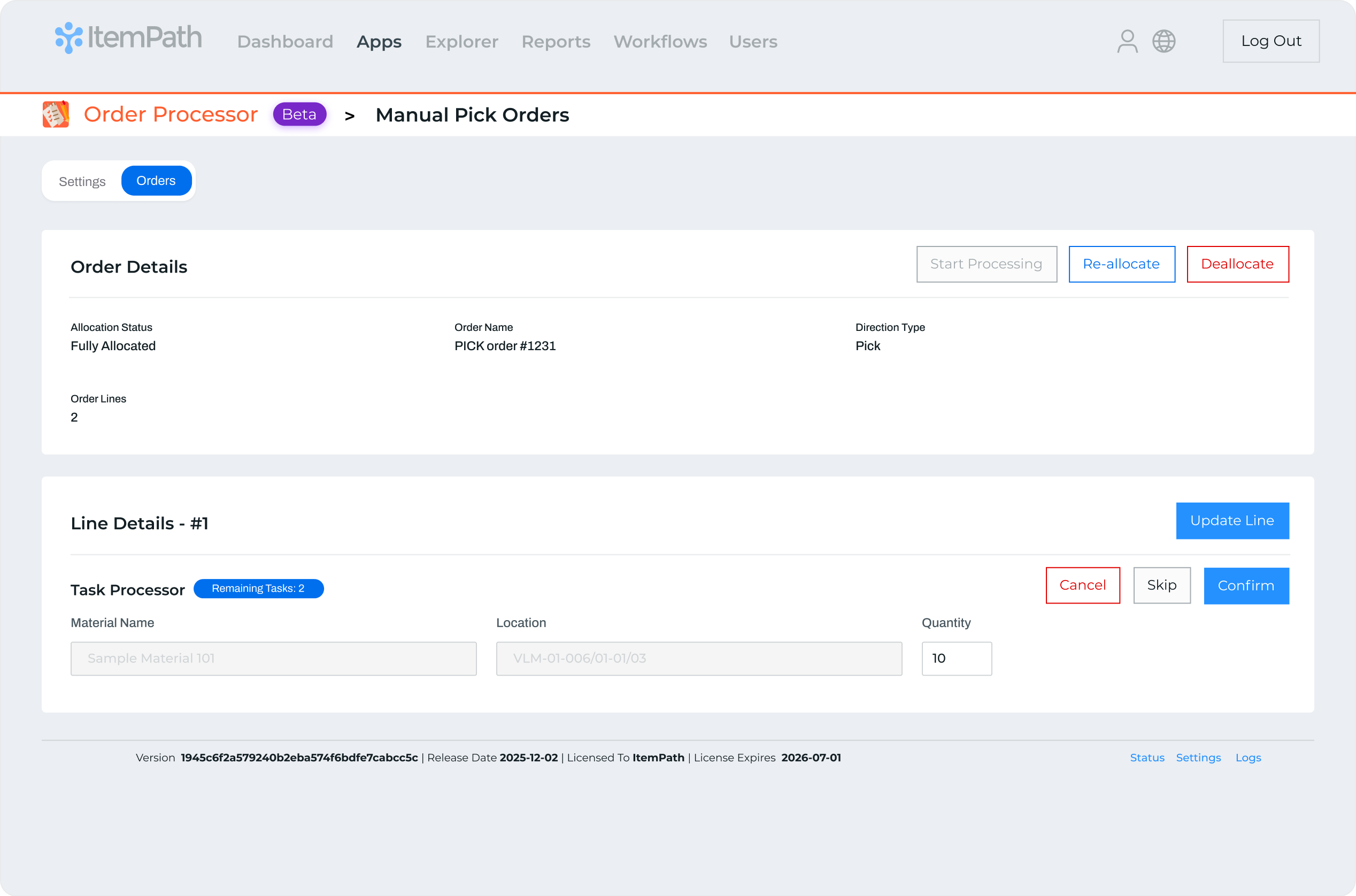
ItemPath presents each Order Line to the user and they proceed with processing the order. As each line is completed, they simply need to click Confirm in ItemPath and move on to the next line.
When they come across an order line with missing details in the “Customer PO” (Info 1) field, ItemPath prompts the user to add the missing information before confirming the line as complete.
When the user comes across an order line they need to address later for any reason, they can use the Skip feature, moving it to the end of the queue. This allows them to continue processing the remaining order lines without interruption, saving all open
Key Results and Benefits
Order Processor offers the essential controls to streamline order processing, ensuring both speed and efficiency.
Top Capabilities
- Dynamic Order Data Control: Allows users to modify critical Order Data fields during the active processing of an order.
- Automatic Processing: Enables single-click processing to auto-confirm entire orders, ideal for bulk transactions like tray swaps.
- Order Allocation Control: Provides in-app capabilities to Allocate, Re-Allocate, and Deallocate orders.
- Targeted Filtering: Uses filters based on priority or custom fields to ensure operators only see relevant master orders.
Operational Benefits
- Eliminates Order Delays: Provides flexibility for last-minute Order data changes, allowing critical orders to proceed immediately without being stopped or cancelled.
- Ensures Data Integrity: Guarantees that essential data is captured before a line can be finalized, improving compliance.
- Drives High Efficiency: Accelerates high-volume tasks by enabling single-click bulk confirmations, reclaiming hours spent on repetitive manual steps.
- Provides Full Process Ownership: Allows operators to manage the entire fulfillment lifecycle without switching systems.
Additional Resources
To learn more about processing orders using an ItemPath interface, see:
Master the Fulfillment Engine
Explore the core capabilities of the Order Processor to streamline your warehouse workflows. This guide covers how to set up adaptable processing modes and configure the interface for peak operational efficiency.
Customize Your Process
Learn how to handle real-time order line adjustments and unique fulfillment requirements on the fly. This guide provides step-by-step instructions for processing orders while maintaining total control over order customization.
