Matches version:
3.4.9
Managing User Profiles
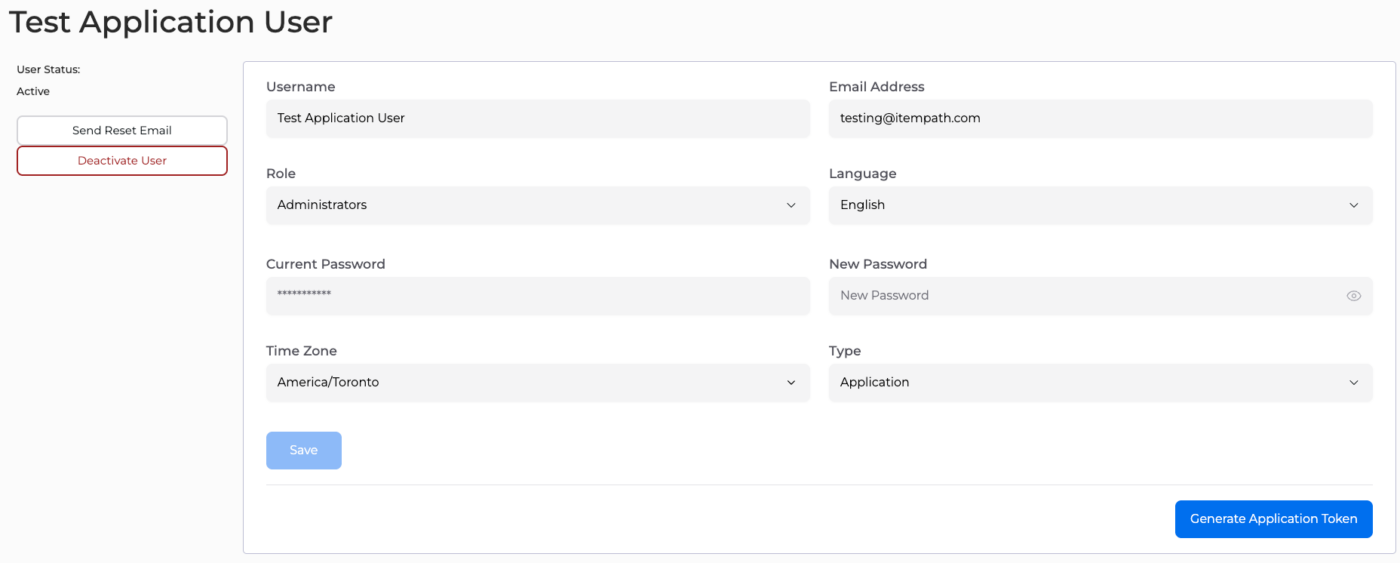
This is where changes can be made to a user’s profile. You can change any of the following:
- Username
- Language
- Type
- Role
- Password
- Time Zone
Once the changes have been made, make sure to click Save.
Note:
- The Time Zone set in a User's profile overrides the global Time Zone setting.
- To change a password, the original password needs to be added before the new password can be updated. Once both passwords have been entered, click Save to complete the change. Alternatively, administrators can select Send Reset Email if the user has forgotten their original password.
Application Users
Application type users are for use with the ItemPath API.
To change a user Type to "application" for using non-expiring access tokens, you can select it from the dropdown or use the API endpoint for updating users.