2.22 Summary

2.22.3 - Order Builder Adjustments and Fixes

September 5, 2025

Order Builder Changes

  • Fixes issues where Info fields and the recipient field would not be applied to the order when it was created in Power Pick
  • Fixes the Automatic Order Builder integration view
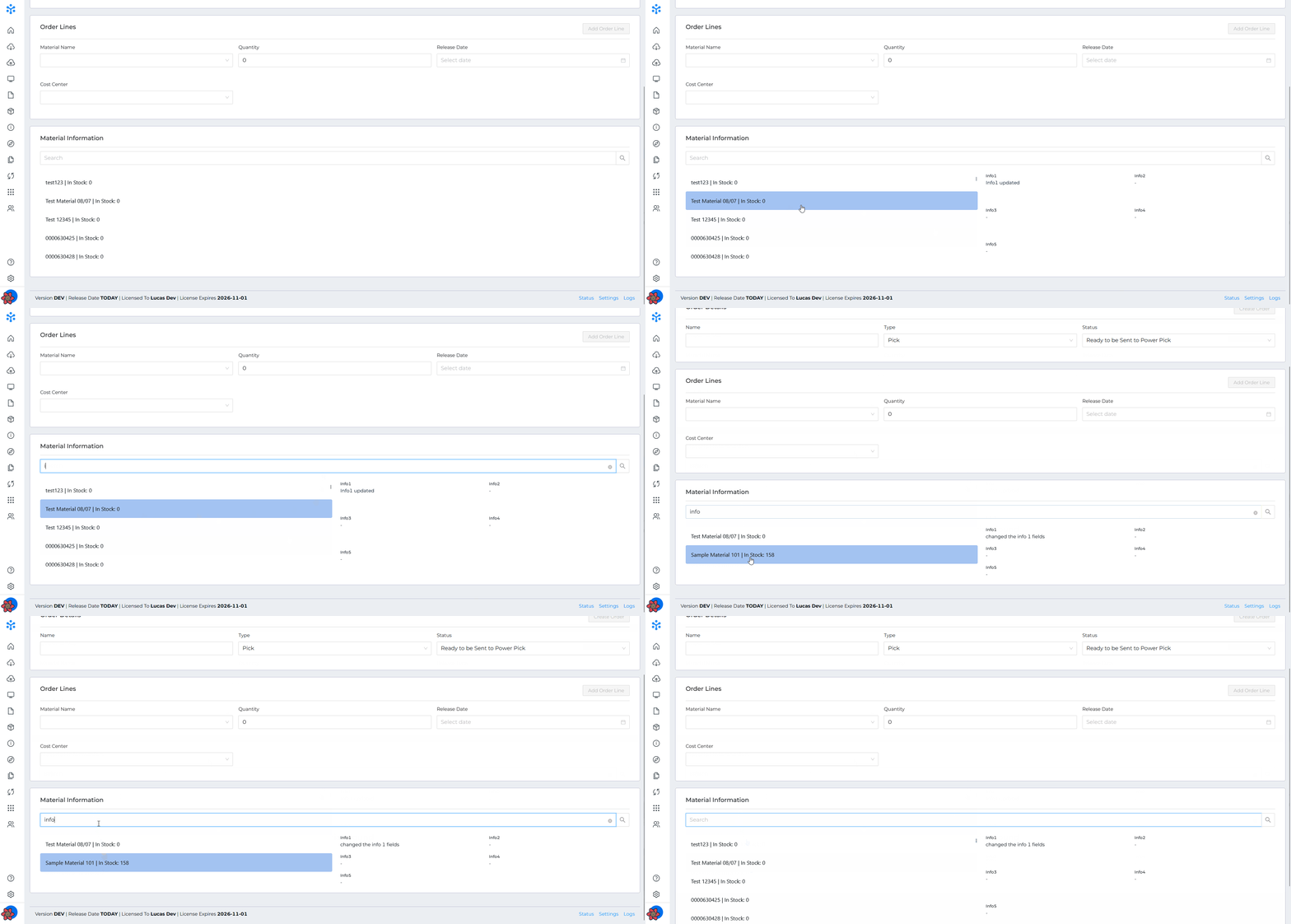
  • The Material Quantity is now displayed in the Order Line material selection drop-down in the Manual Order Builder

Misc. Fixes

  • Fixes URL validation in connection settings to allow TLDs(Top Level Domains) longer than 5 characters
  • Fixes issue where ItemPath was incorrectly loading in a user's permissions
  • Adjusts the positioning of the footer so the Support Chat Widget no longer blocks the "Logs" footer link

2.22.3.1

Order Builder

  • An error message now triggers when attempting to create an order without any lines

Data Push

  • A new setting has been added that will set quantities to negative values when pushing transactions of Pick orders

Data Pull

  • The number of queued tasks is now displayed
  • Deleting a Task in Data Pull now also cancels its job
  • Fixes a bug that would prevent Data Pull from working when Append Lines was enabled and the Order needed to be recreated.

Misc.

  • The "type" field item has been removed from the User Profile form
  • Improvements have been made to SQL querying in GET /shelves

2.22.3.2

Data Push

  • Fixes an issue introduced in 2.22.3.1 where Data Push would fail to send transactions when consolidation was enabled

Order Builder

  • Fixes an issue where using a scanner to select an order line's material in the manual builder would clear the input field 


2.22.2 - Order Builder Detail Material View

August 21, 2025

Order Builder Detail Material View

The user can now dynamically set the material fields that are displayed when looking up a material in the manual Order Builder

New Features

  • Trial ItemPath licenses now display a unique, purple banner across the top in the App UI.

Misc. Changes

  • Adjust error returned when ItemPath fails to find a new order created through the API. The status code returned is now a 502 instead of 500. The error message returned is:
    PowerPick accepted the order, but the order was not found in the database within the timeout period. Order ID: {order ID}
  • The App list in the UI now excludes apps without views that are only used in workflows. List of apps excluded: Email, PDF, SMS, Spreadsheets, and Zebra

Bug Fixes

  • Fixes issue where HMAC authentication would fail in Data Push and Data Pull confirmation

2.22.2.1

  • Fixes HMAC authentication issue where the Auth token was generated incorrectly

2.22.2.2

  • Fixes issue in the Manual Order Builder where the materials displayed in the dropdown were limited to the first 1000
  • Error returned from the ItemPath API has been changed when there is no body passed in a POST or PUT call. Error message has been changed from "Invalid/malformed JSON in request" to "Request body is empty or blank."
  • ItemPath chatbot has been added to Cloud customer environments

2.22.1 - Data Pull: Material Updating, Truncating Strings, and Extracting Data

August 8, 2025

New Data Pull Settings:

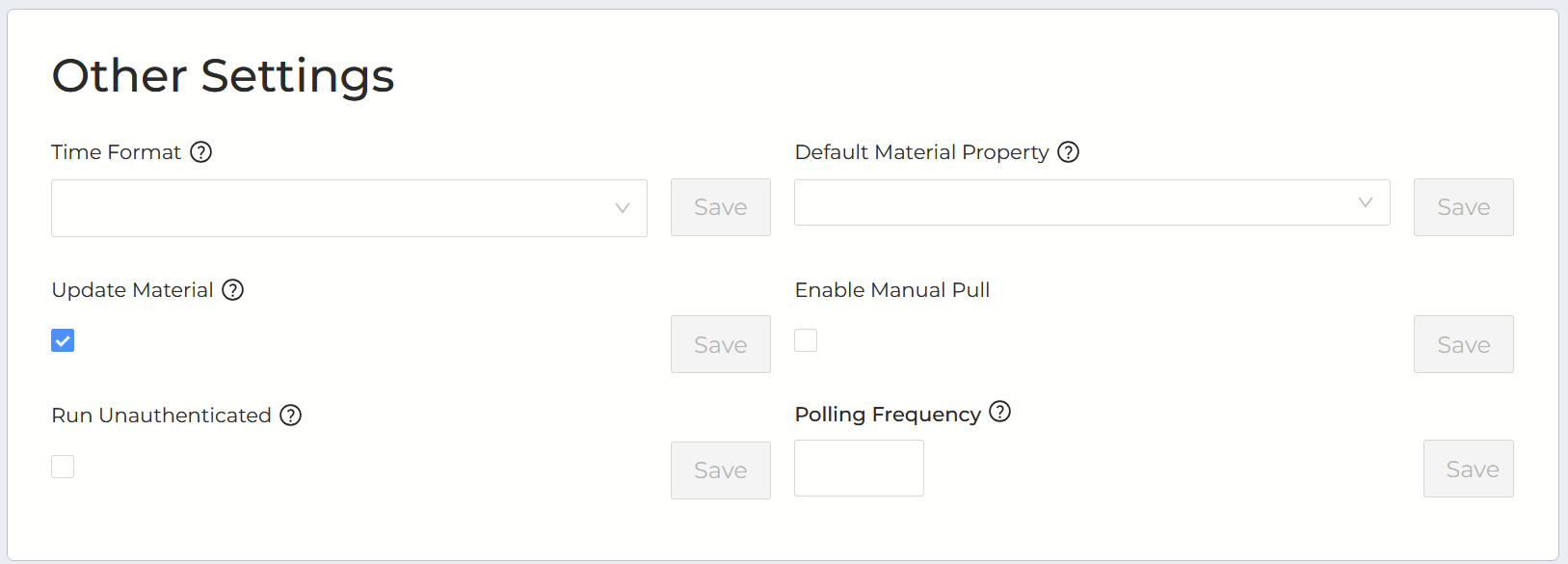
Update Materials

When this setting enabled, ItemPath will update materials when the mapped name is the same as a material that already exists. If the setting is disabled, ItemPath will ignore the material, as the name is considered invalid.

Regex to extract sub-strings 

If the "Enable Regex" setting is turned on in an integration, a new field shows in the Column mappings of a Data Pull integration. This field can be used to store a regex pattern that will be applies to the mapped value. If the regex fails to extract a string, the original value will be used.

Truncate Data setting

If the "Truncate Data" setting is enabled in a Data Pull integration, any mapped string values that exceed the string limit of the field will be truncated to max length. If the setting is disabled, a validation error will be triggered and ItemPath will not attempt to create the Order or Material

Order Builder Hide Revisions

A new setting is available in the Order Builder: "Hide Revisions". If enabled, the revisions of an order will be hidden in the user interface.

Bug Fixes:

  • Resolves and error where validation would unnecessarily run when changing mapping type in Data Push
  • Fixes an issue where Data Push would fail if the "Max Retries" setting was set to an invalid value
  • Data Pull no longer errors out if the "Polling Frequency" setting is set to an invalid value
  • Data Pull now correctly maps "No Structure" data when there is a "Grouping" mapping within the "Lines" mapping
  • Fixes {lastDay} parameter in the Request Body of a Data Pull integration that uses HMAC authentication


2.22.1.1

ItemPath Job Processing

  • Fine-tuned background job processing for better reliability

2.22.0 - Beta Order Processor App

July 31, 2025

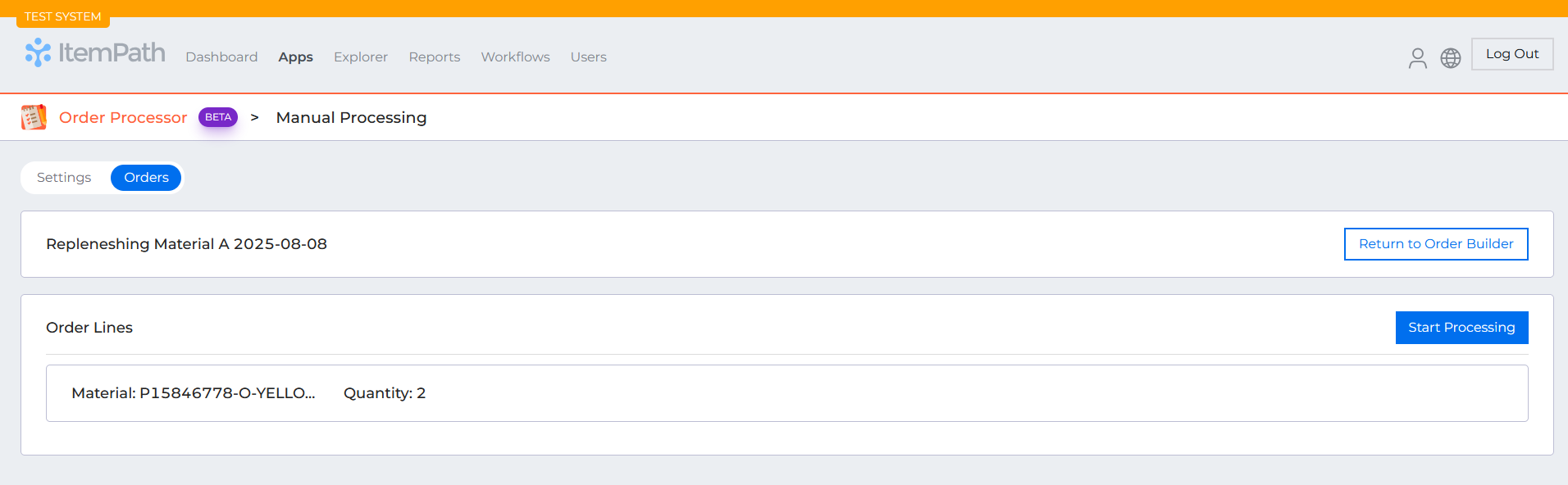
Order Processor App(Beta)

New Features:

  • Automatic Pick, Put, and Replenishment Order Processing
  • The Order Processor now supports fully automated processing of pick, put, and replenishment orders.
  • Handle order allocation and workflow initialization without manual intervention
  • Auto-confirm quantities during processing without requiring user input
  • Process orders through completion with minimal user interaction required

New Data Pull Feature: Update Lines

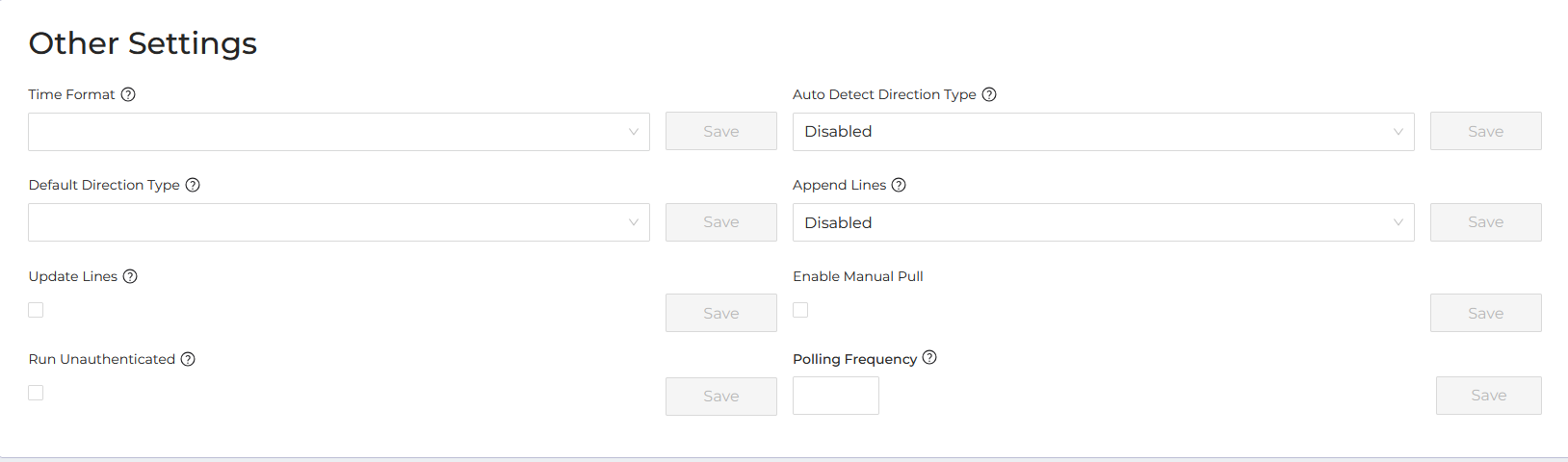
Added a new "Update Lines" option to Data Pull settings that allows ItemPath to automatically update existing order lines when line details change.

How it works:

  • When enabled, ItemPath will modify existing order lines if the details have changed, provided the line hasn't been allocated yet
  • Order lines are matched using the order name and line number
  • Allocated lines are protected from updates to prevent disruption to active fulfillment

What you'll see:

  • Detailed logging shows which order lines were successfully updated
  • Clear notifications when lines couldn't be updated due to allocation status

This feature helps keep order data current while safeguarding lines that are already in progress.

Bug fixes

  • If a user attempts to flag a Replenishment order without lines to 'Ready to be Sent to Power Pick' a toast message will display with an error message
  • Fixes validation of Shelves and Deadline fields in Order Builder